


SMOKE#SCREEN Phishing Installs ScreenConnect Through Fake Updates
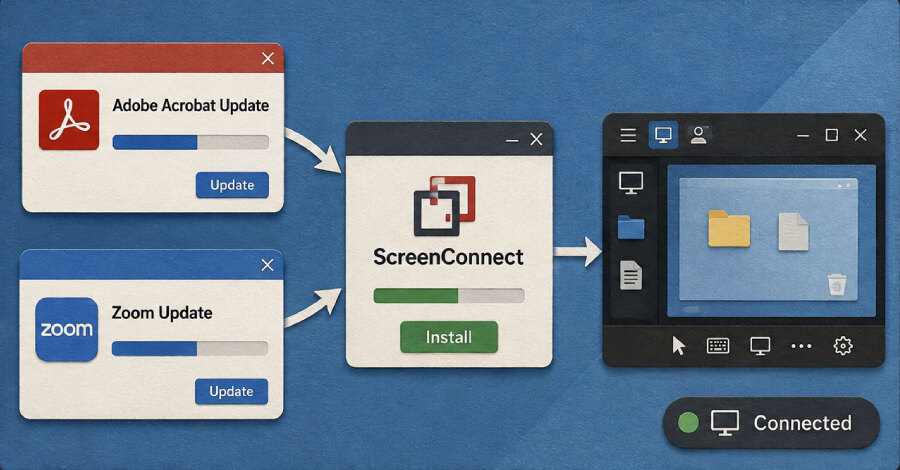
Securonix Threat Research has disclosed an active, multi-wave campaign that uses fake Adobe and Zoom updates, business-document reviews and system-maintenance utilities to install ConnectWise ScreenConnect. Named SMOKE#SCREEN, the operation ultimately gives its unidentified operators persistent remote access through three attacker-controlled relay clusters.
The toolkit includes obfuscated VBScript droppers, batch loaders, compiled .NET executables and an HTML phishing page. The components point to a live WsgiDAV staging server at 207.174.0[.]143:8080, while an associated ScreenConnect relay uses port 8041 for command-and-control activity.
Different lures lead to the same remote-access tool
Securonix assesses spear-phishing as the initial access vector. One VBScript checks the environment, lists running processes and exits if it detects Wireshark, Process Monitor, Oracle VM VirtualBox, Broadcom VMware Tools, Citrix XenServer or Fiddler Classic. If those checks pass, it decrypts a PowerShell command that retrieves and executes a C# payload from 207.189.11[.]170.
Other business-themed lures persuade recipients to launch a VBScript that ends with ScreenConnect installation. A third sample arrives in a compressed archive and runs a batch script that disables Windows Antimalware Scan Interface, requests elevated privileges through User Account Control, turns off SmartScreen through Registry changes and removes the Zone.Identifier alternate data stream from an MSI before execution.
The campaign fits the broader pattern of trusted software abuse and emerging stealer campaigns, in which trusted software and familiar workflows can help malicious activity evade attention. Here, ScreenConnect can resemble authorized enterprise support tooling instead of a purpose-built remote access trojan.
Trusted hosting complicates detection
The delivery infrastructure has rotated across legitimate services. An early phishing page named zoom-update.html served its payload through a Dropbox shared link. A compiled .NET loader called MemoryLoader.cs referenced a Cloudflare Quick Tunnel, and the staging server ran cloudflared.exe to generate temporary tunnels.
Despite the changing lures and loaders, every observed path ends with a ScreenConnect client connecting to a configured relay server. That connection lets the operator open a remote desktop session on the compromised machine. Securonix found three command-and-control clusters in relay configuration strings embedded in MSI and EXE payloads, corresponding to software-update, document-review and document-viewer decoys.
Controls businesses can apply
Organizations should restrict untrusted MSI execution, audit every legitimate RMM deployment and investigate processes that attempt to modify security products. Suspicious PowerShell and cmd.exe activity, unexpected ScreenConnect installations and connections to unapproved relay infrastructure should receive particular scrutiny.
Strict UAC settings can also stop standard users from bypassing elevation controls. The practical priority is to treat remote-management software as privileged infrastructure: maintain an approved inventory, monitor its installation and relay destinations, and investigate any instance that falls outside established support procedures.