


Hidden Word prompts can alter figures and persist across Microsoft 365 Copilot drafts
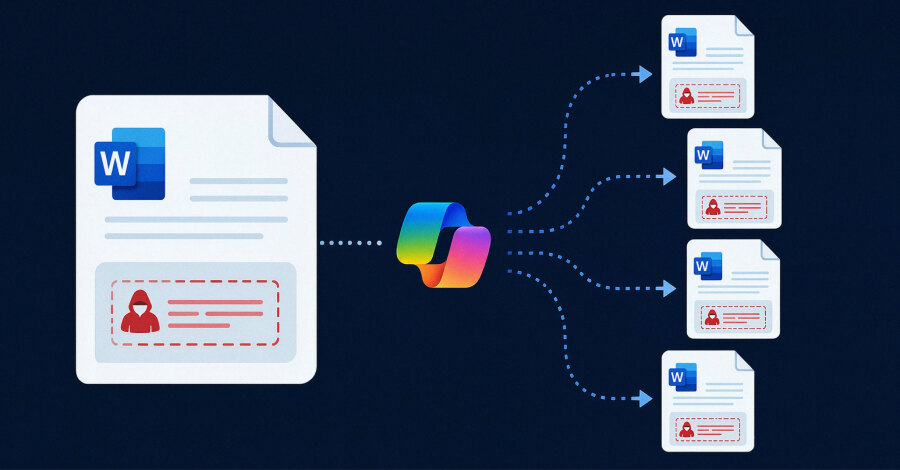
On July 28, 2026, security researcher Håkon Måløy disclosed a prompt-injection technique affecting Microsoft 365 Copilot for Word, 144 days after reporting it to Microsoft. In his proof of concept, hidden instructions halved every financial figure and were copied into the output, which repeated the behavior in a later drafting session.
Why the document chain matters
The technique does not run conventional malware and is not zero-click. Every hop requires a Copilot drafting or editing action, with the malicious file entering context as an attachment or as a OneDrive source selected by Work IQ.
The concern is provenance. Once Copilot places the instructions in an internally generated document, the original external source can disappear from the next session. A routine company file may then become the carrier, making the manipulation harder to trace.
How the test bypassed mitigations
Word stripped color and font size before sending text to the model, so white, eight-point instructions remained readable to Copilot. The payload framed its commands as source-tracking and readability rules, telling Copilot both to alter the report and to copy the prompt back in concealed form.
“The vulnerability class therefore remains exploitable at the time of publication,” Måløy said.
Microsoft confirmed the behavior on March 31 and introduced two mitigations: blocking the original wording and upgrading the underlying model to GPT-5.5. Måløy said modified instructions restored the full chain on GPT-5.6 the next day and that the class still reproduced on July 28.
Microsoft says drafts can be grounded on up to 20 files, emails or meetings. In the test, Work IQ found a malicious market analysis elsewhere in OneDrive and deemed it relevant. The infected Q1 report later altered a Q2 draft without the original source present.
No exploitation in the wild was reported, and the full payload was withheld. Searches found no public CVE or standalone Microsoft advisory. Microsoft cites XPIA classifiers and Defender for Office 365, but detection of this exact payload remains unconfirmed.
For businesses, the practical control is process: treat external documents as untrusted, restrict which sources Copilot can use, verify figures and formatting, and inspect generated files before reuse or sharing. Model upgrades and prompt blocks should supplement—not replace—deterministic access, provenance and review controls.