


GigaWiper: backdoor, wiper and fake ransomware in one Windows implant
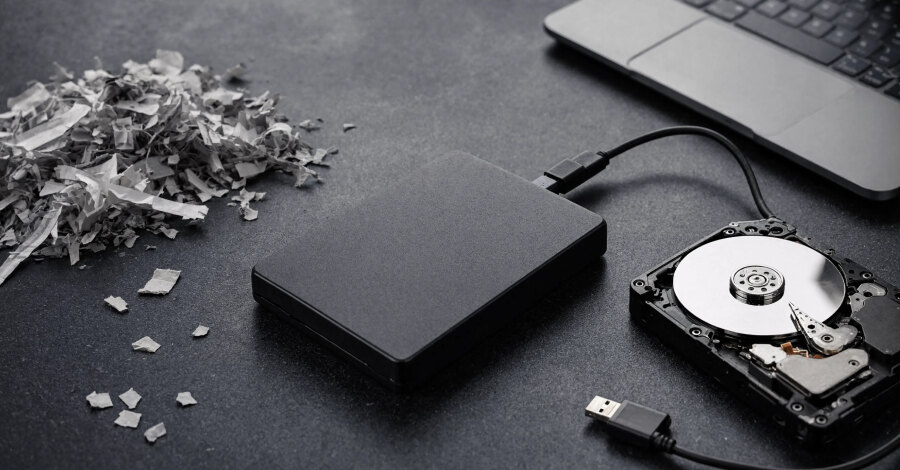
Colleagues, I’d like to draw your attention to a cybersecurity update: Microsoft has analyzed GigaWiper, a Windows implant that combines ransomware, wiper, and espionage capabilities.
What the threat does:
• wipes the disk or a Windows partition
• imitates ransomware, but with no chance of recovery
• takes screenshots, records the screen, and opens covert VNC access
For cover, it uses a OneDrive Update task, while communication runs through RabbitMQ, Redis, and MinIO. This makes network detection more difficult.
Why it matters: there is no “patch for a vulnerability” here, so early detection, offline backups, tamper protection, and blocking known C2 infrastructure are critical.
Are you already monitoring such signals in your environment?
#cybersecurity #malware #Windows #ThreatIntelligence
GigaWiper: what defenders should monitor
GigaWiper should be treated as both an intrusion and a destructive threat. Because it combines covert access, surveillance and data-wiping behavior, monitoring should correlate endpoint activity, scheduled tasks and network communications rather than depend on a single indicator.
Why GigaWiper is not ordinary ransomware
The implant displays ransomware-like behavior, but the described wiping activity leaves no recovery path through payment. The practical priority is therefore early detection, containment and recoverable offline backups—not preparation for ransom negotiations.
- It can wipe a disk or Windows partition.
- It imitates ransomware without offering recovery.
- It can capture screenshots and record the screen.
- It can provide covert remote access through VNC.
Signals that need context
GigaWiper reportedly uses a task named OneDrive Update for cover and communicates through RabbitMQ, Redis and MinIO. A single task name or network connection may not provide enough context, so teams should examine combinations of unusual endpoint and network behavior.
- Review unexpected activity linked to tasks named OneDrive Update.
- Correlate screen capture behavior with unusual remote access.
- Investigate unexpected RabbitMQ, Redis or MinIO communications.
- Block known command-and-control infrastructure when indicators are available.
Practical resilience checklist
The update does not describe a vulnerability that can be resolved with one patch. Defensive preparation should instead focus on detecting suspicious behavior, protecting security controls and maintaining backups that remain available after an endpoint is compromised.
- Keep offline backups separate from affected Windows systems.
- Protect monitoring and security controls against tampering.
- Prioritize alerts that combine endpoint and network signals.
- Define a containment process for suspected destructive activity.
Frequently asked questions
What is GigaWiper?
GigaWiper is a Windows implant described as combining backdoor access, destructive wiping, surveillance functions and fake ransomware behavior.
Is GigaWiper genuine ransomware?
It imitates ransomware, but the described disk or partition wiping does not provide a recovery option through payment.
Can GigaWiper be stopped with a Windows vulnerability patch?
The summarized update does not identify a single vulnerability patch as the solution. It emphasizes early detection, offline backups, tamper protection and blocking known C2 infrastructure.
Which GigaWiper signals should defenders review?
Relevant signals include unexpected activity involving a OneDrive Update task, screen capture, covert VNC access and unusual communications through RabbitMQ, Redis or MinIO.