


Rogue ScreenConnect Clients Deliver Worm-Like VBScript Chain
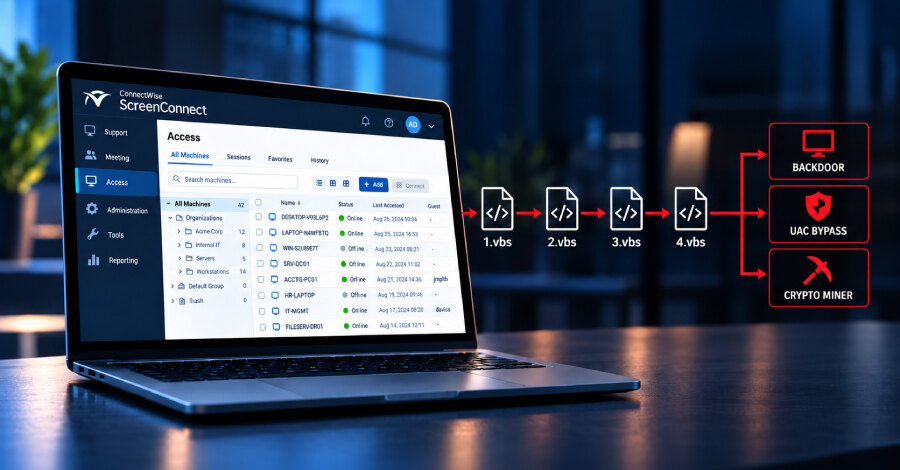
Rogue ScreenConnect clients used to infect newly connected hosts
Huntress has detailed three August 2026 incidents in which rogue ConnectWise ScreenConnect clients distributed a four-stage Visual Basic Script chain to newly connected systems. The initial compromises used a Quick Assist technical-support scam, a phishing-delivered MSI installer, and a fake Geek Squad refund form.
After installation, the malicious clients repeatedly launched wscript.exe to run 1.vbs through 4.vbs. Huntress observed a client contacting 45.13.237[.]190, also associated with tele-sync.opik[.]net; another communicating with 131.123.40[.]98 on port 8041; and a third connecting to borertors92.anondns[.]net.
The sequence can turn an affected device into a delivery mechanism. When a backdoored ScreenConnect client sees a new Host connection, that server-side host can receive and execute the same four-stage script chain. The client records ConnectionID values to avoid repeatedly targeting an active session, but removes an identifier after disconnection, allowing a later reconnection to trigger infection again.
Scripts tailor payload delivery to the host
The first script profiles the system, including whether RAM exceeds 5 GB, whether ScreenConnect is installed, and which security products are present. It checks for products including Cisco AMP, CrowdStrike, Huntress, Malwarebytes, SentinelOne, Sophos and Symantec Endpoint Protection, then writes a three-bit state value to %TEMP%\value.txt.
The second script waits for that file and, unless it contains the word “abort,” downloads and decodes content from Dropbox into %TEMP%\map.txt. The Dropbox URL was no longer online on September 2, 2026, leaving the exact contents of that retrieval unclear.
The third script uses the state values and a link in map.txt to fetch a file into %TEMP%\out.enc. The fourth waits for that payload, launches runner.ps1 to decrypt it, stores it as %APPDATA%\Microsoft\Windows\Templates\Classic\sys_cache.zip, and executes PyTorchFix.ps1.
Payloads and mitigation
Huntress identified different outcomes by state value. Values 000 and 001 lead to a user-level ScreenConnect backdoor; 010 delivers tooling for privilege escalation through a User Account Control bypass and persistence; and 011 delivers tunnelling utilities and a cryptocurrency miner. The 011 branch can also disable Microsoft Defender reporting and Windows memory integrity.
Runner.ps1 terminates wscript.exe and cscript.exe processes and removes its staging directory after the final stage. For 010 and 011, 4.vbs also writes the scripts to C:\Users\Public\Libraries\Default\Lib\Lib1, enabling further delivery over new ScreenConnect connections. Huntress also observed a WindowsServiceHost User Run Key pointing to WindowsServiceHost.vbs in AppData and, on some hosts, other remote monitoring and management tools such as UltraViewer.
ConnectWise said it identified an issue in ScreenConnect file-transfer behaviour affecting Remote Access Support and Access sessions in both cloud and on-premise deployments. Until a fix is available, it advises administrators to review every role under Administration, Security and Roles, and remove TransferFiles or the legacy TransferFIlesInSession permission where selected. For businesses, the immediate priority is to restrict technician file-transfer rights and re-image affected hosts from known-good media or perform a clean operating-system installation.