


Chrome introduces ClickFix command warnings for Enhanced Protection
Google is rolling out new Chrome safeguards intended to stop ClickFix attacks before users execute malicious commands. The capability is available to people who enable Enhanced Protection and detects when they are tricked into copying suspicious commands that are meant to be pasted into Windows Run or the macOS Terminal app.
ClickFix is a social-engineering technique that redirects visitors from compromised legitimate websites or malicious advertisements to phishing pages. Those pages can imitate Cloudflare or Google reCAPTCHA verification screens, or present a fabricated error, before instructing the visitor to copy and run a command as a supposed fix.
Warning before execution
Once a user presses Enter after pasting the command, the action can start a multi-stage infection chain that deploys malware, including information stealers or remote access trojans. The commands commonly rely on living-off-the-land tools such as PowerShell or cmd.exe to retrieve the next-stage payload while blending into ordinary system activity.
Google said this method changes the usual phishing model: rather than relying on a sophisticated vulnerability or a suspicious download link, attackers persuade the user to initiate the command. By moving the download process from the browser into a terminal, they can sidestep Chrome and Safe Browsing download protections.
Under the new protection, Chrome removes personal information that may be present in a copied suspicious command and submits the clipboard payload to Safe Browsing for analysis. When the system determines that the command is dangerous, Chrome presents a warning designed to interrupt the attack before the command is run.
Broader scam and advertising controls
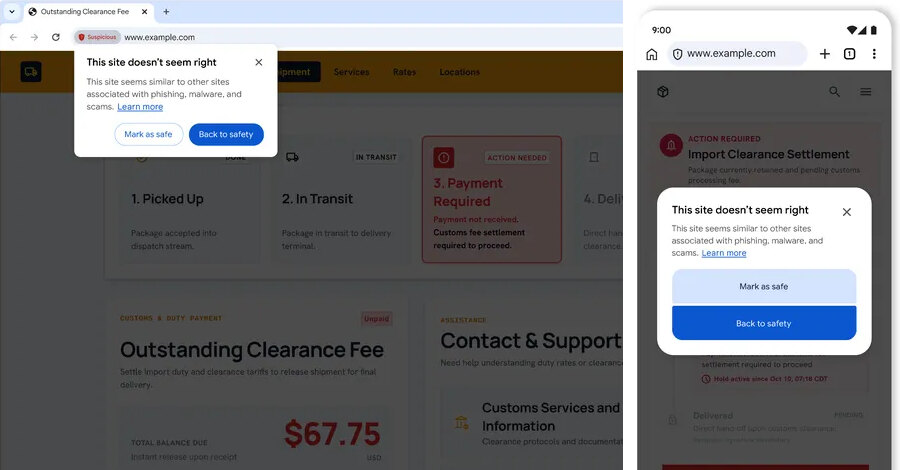
The rollout also establishes two categories for Safe Browsing site warnings: suspicious sites, which show deceptive patterns associated with known malicious sites, and dangerous sites, which are known to be malicious and pose a high risk of harm. The Chrome changes follow a broader browser-security trend, with Google’s Chrome vulnerability fixes and related attacks detailing Google’s fixes for 370 Chrome vulnerabilities alongside attacks affecting SonicWall, SaaS and DNS services.
Google is building on on-device large language model approaches that identify tech-support, fake-antivirus and fraudulent browser-update scams. The model assesses page content for signals including the represented brand, the page’s intent and a scam-likelihood score. Google said page text is sent for analysis only when a site shows high-confidence scam indicators, and any off-device content is processed ephemerally rather than logged, retained or used for model training.
Separately, Google is introducing Financial Services Verification for advertisers in the United States and Canada. Advertisers must demonstrate authorization from relevant regulators or recognized registries before running certain financial advertisements. Google is working with the American Bankers Association’s registry in the United States and engaging with the Canadian Bankers Association for the Canadian rollout.
Practical implication for organisations
Security teams should consider enabling Chrome Enhanced Protection where their policies allow, while reinforcing a simple operational rule: genuine verification and support workflows should not require employees to paste commands into Run, PowerShell, cmd.exe or Terminal. Combining that guidance with attention to browser warnings can help interrupt ClickFix activity before malware execution begins.