


FastUnlock zero-day lets users launch programs from locked Windows PCs
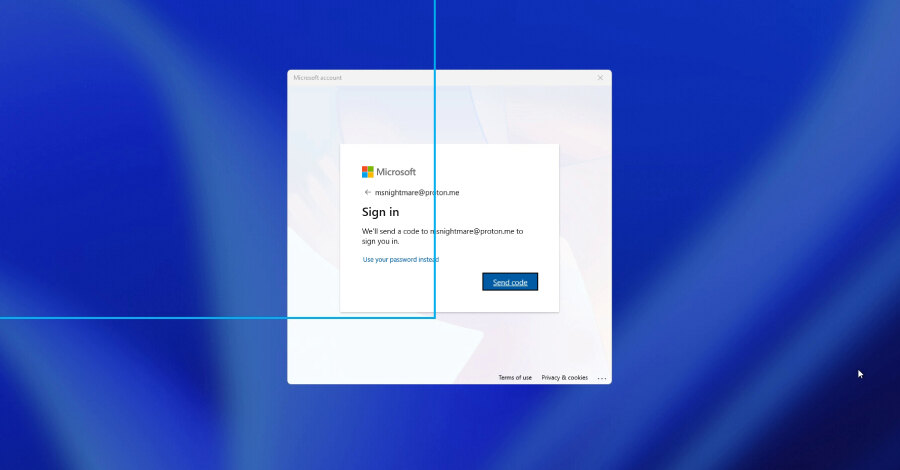
A newly disclosed and unpatched Windows zero-day technique, dubbed FastUnlock, can allow a person with physical possession of a locked computer to launch programs without signing in. The technique was published by a researcher using the handles MSNightmare and Nightmare Eclipse, and endpoint-security firm ThreatLocker tested it on the same day.
ThreatLocker reported that the method can reach a limited Windows account identified as WSIAccount. The firm said this is not an administrator account, so the finding does not provide full administrative control of the device. Microsoft has not issued a fix, and there is no indication that FastUnlock has been used in real attacks.
Physical access and recovery options are central to the risk
FastUnlock does not work on every Windows machine. It requires someone to have physical access to the computer, as well as a Microsoft account that can be reached through recovery options on the lock screen. The technique uses Windows Narrator, the built-in screen reader, to navigate the locked interface.
The researcher's GitHub disclosure contains a video and little written explanation, making ThreatLocker's independent test the more detailed public description of the technique. No official list of affected Windows versions has been published. Organisations should therefore regard systems meeting those conditions as potentially affected until Microsoft provides further guidance.
BitLocker can still leave an already started device exposed
The method does not crack BitLocker encryption or recover an encryption key. Its relevance to BitLocker-protected PCs stems from a common configuration in which the Trusted Platform Module, or TPM, unlocks the drive automatically during startup. By the time Windows displays the lock screen, the drive has already been unlocked and its files are readable to the operating system.
Microsoft documents this TPM mode as allowing a drive to unlock without entering a PIN. FastUnlock operates after that normal startup sequence, making it a narrower issue than breaking disk encryption, but still a meaningful exposure when an attacker can handle the computer.
Protection depends on startup controls and device handling
With no patch available, the immediate mitigations are physical control and stronger startup protection. Laptops, shared workstations and front-counter systems should not be left where unauthorised people can handle them. A locked Windows session alone should not be considered sufficient protection against a determined hands-on attacker.
For sensitive devices, Microsoft recommends configuring a BitLocker startup PIN rather than allowing the TPM to unlock the drive automatically. Shutting down or hibernating a device before it leaves an employee's control also matters, because a startup PIN protects a machine before it starts, not one that has already reached the lock screen.
Businesses should identify systems that rely on automatic TPM unlocking, review where those devices can be physically accessed, and apply any Microsoft advisory or update when it becomes available. Until then, requiring a startup PIN and powering down mobile devices before transport provide practical protection against this specific scenario.