


Microsoft Details Phishing Campaigns Combining MSP360 and ScreenConnect
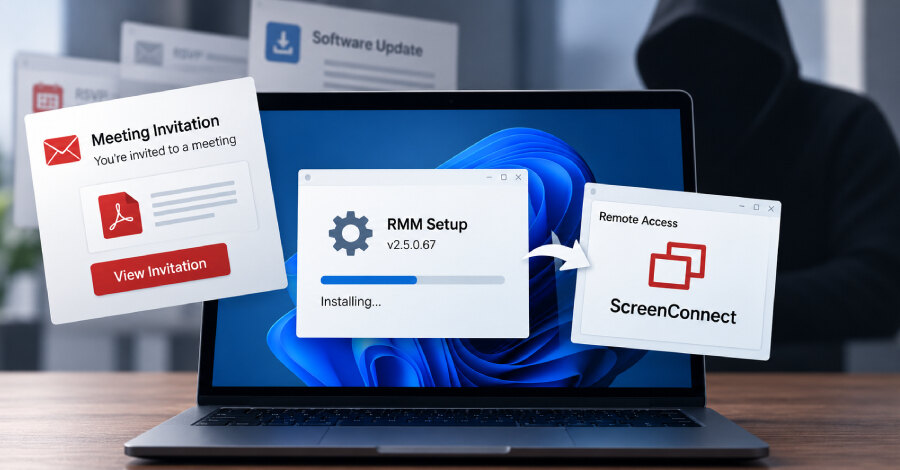
Microsoft has warned of phishing campaigns that use a legitimate, digitally signed MSP360 Remote Monitoring and Management (RMM) v2.5.0.67 installer to establish access on Windows devices and then install a ConnectWise ScreenConnect client. Detected in July 2026, the activity gives attackers redundant remote-administration channels after a victim launches a deceptively named installer.
The campaigns used social-engineering themes including meeting invitations, PDF-related files, software updates and government-statement lures. Examples observed by Microsoft included filenames resembling VIP e-cards, Zoom installation packages, Adobe Acrobat documents, RSVP invitations and SSA.GOV statements, all incorporating the MSP360 version number.
Trusted remote tools used as an entry point
The installer packages were hosted on attacker-controlled infrastructure as well as legitimate cloud services: Amazon S3, Cloudflare R2, Dropbox, GitLab and Supabase. Once executed, the legitimate MSP360 installer establishes remote-management access, allowing the operators to gain an initial foothold through software that can appear consistent with ordinary IT administration.
Microsoft said the installer drops multiple DLLs and relaunches itself through the Windows User Account Control elevation workflow to run with higher privileges. It enumerates installed .NET runtimes, registers the Windows services RMM.Agent.exe and RMM.Agent.Launcher.exe, and creates Registry autorun entries so MSP360 starts when a user signs in.
ScreenConnect adds a second access channel
After MSP360 is deployed, the tool is used to execute PowerShell and install ScreenConnect stealthily. The installer also changes the Windows Firewall configuration to permit inbound UDP traffic on port 48678 for RMM.Agent.exe. The subsequent ScreenConnect access can run additional payloads through its native RunFile functionality.
This dual-RMM approach enables transfer of further executables and supports information collection and credential-access operations while activity is blended into remote-administration workflows. Microsoft has not attributed the activity to a known threat actor or group.
Multiple RMM products observed
Microsoft also identified separate attacks in July 2026 that used Faronics Deploy Agent rather than MSP360 for initial access before downloading and installing ScreenConnect. The change in tooling indicates that the operators used more than one RMM product to obtain remote access.
For businesses, the immediate implication is to treat unexpected RMM installation, new RMM services, Registry autoruns, PowerShell-launched remote tools and firewall changes as connected investigation signals. Review how remote-management software is obtained and approved, and validate whether MSP360, ScreenConnect or Faronics Deploy Agent activity is authorized on affected endpoints.